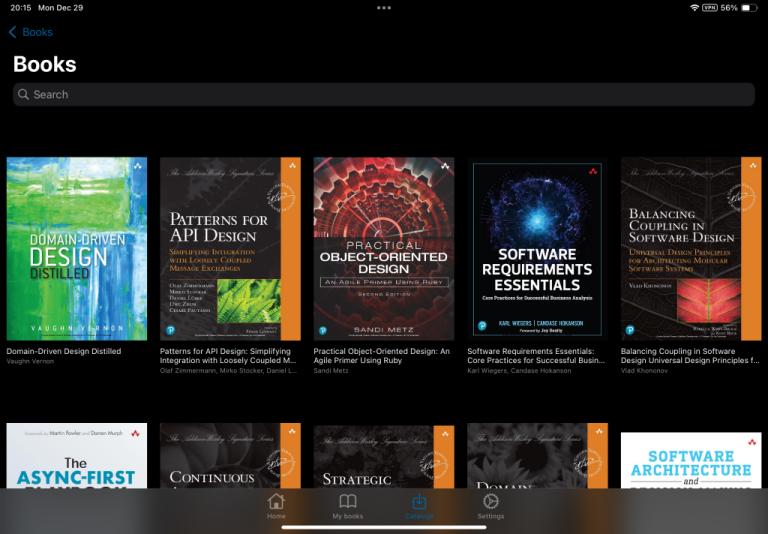
Calibre Web: A web interface for e-books
Following on from getting e-books from Kobo onto the Kindle, I also wanted to be able to easily use them on my iPad, especially technical books that benefit from the larger screen. For books bought from Amazon for the Kindle, or I suppose Kobo books, I could install the appropriate iOS app. But, not only does that mean using separate apps for separate books, it does not work for the e-books I have got directly from other publishers, such as the Pragmatic Bookshelf, Manning or recently some nice Humble Bundles.
Enter Calibre Web: This is a web-based system that uses the Calibre database to provide the metadata for displaying a library of books in a web application. It also supports feeds for e-book readers.
I already have a small server which I use to self-host various things, so setting up Calibre Web in a docker container was completely straightforward. The problem is that my Calibre database is on my main desktop PC and not on the server, and more importantly, not available when the desktop PC is powered down.
So my solution is to use Syncthing. I run syncthing on both my desktop and the server. It does a one-way copy from the desktop to the server, so the server directory is then always in-sync with my desktop. If I add a new e-book to Calibre, it automatically gets copied to the server and as it is a one-way sync, there is no risk of corrupting the database.
Calibre web is run using docker compose with a couple of external volumes for the application data and the books.
services:
 calibre-web:
   image: lscr.io/linuxserver/calibre-web:latest
   container_name: calibre-web
   environment:
     - PUID=1000
     - PGID=1000
     - TZ=Asia/Tokyo
     - DOCKER_MODS=linuxserver/mods:universal-calibre #optional
     - OAUTHLIB_RELAX_TOKEN_SCOPE=1 #optional
   volumes:
     - /srv/calibre-web/data:/config
     - /srv/calibre-web/books/:/books
   ports:
     - 8083:8083
   restart: unless-stopped
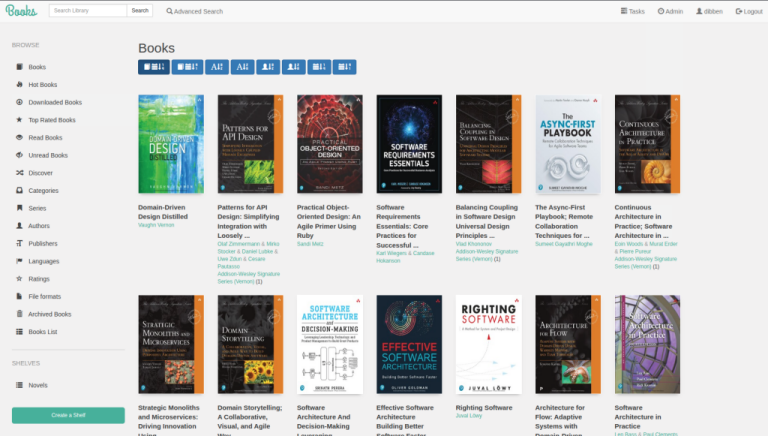
This then gives me a nice web view of all my books.
But this was not the real purpose of setting this up. On the iPad I installed the Cantook which can access remote catalogues. I suspect there are other apps that will work as well, this one seems to work for me.
To add the catalogue in Cantook, you need to include the user ID and password in the URL:
http://userid:password@local.server/opds
Where local.server is the address of the Calibre web instance. In my case, I have a Wireguard network set up so that the iPad can access my server directly.
Then the iPad can browse, download and view all the e-books in Calibre without having to explicitly copy over each PDF/epub that I want to read on the iPad. Just tap on it in the app to download.